
Hikes happen where the internet doesn't. Pack Hiker — especially the Android app — is built to keep working when the bars disappear: reading your plan always works once it's cached; some things you change are queued and sent later; shared editing waits for a connection.
Reading Your Plan Offline
Open a hike while online and the whole thing — itinerary, routes, food, expenses, gear, emergency details — is cached on your device. Every hike you've opened survives, not just the last one, and it works after fully closing and reopening the app, however many times you do that on the trail. Cached hikes stay on your device until you sign out, as long as you open Pack Hiker at least once every 24 days.
What you see offline is the copy from the last time you opened the hike with a connection, so open each one before you lose reception to bring it up to date.
On the Android app, hike cards on the dashboard show an Offline pill once they're cached — glance before you drive out of reception. Profile → Available Offline lists every hike on the phone, when each was last updated, and whether its map is downloaded.
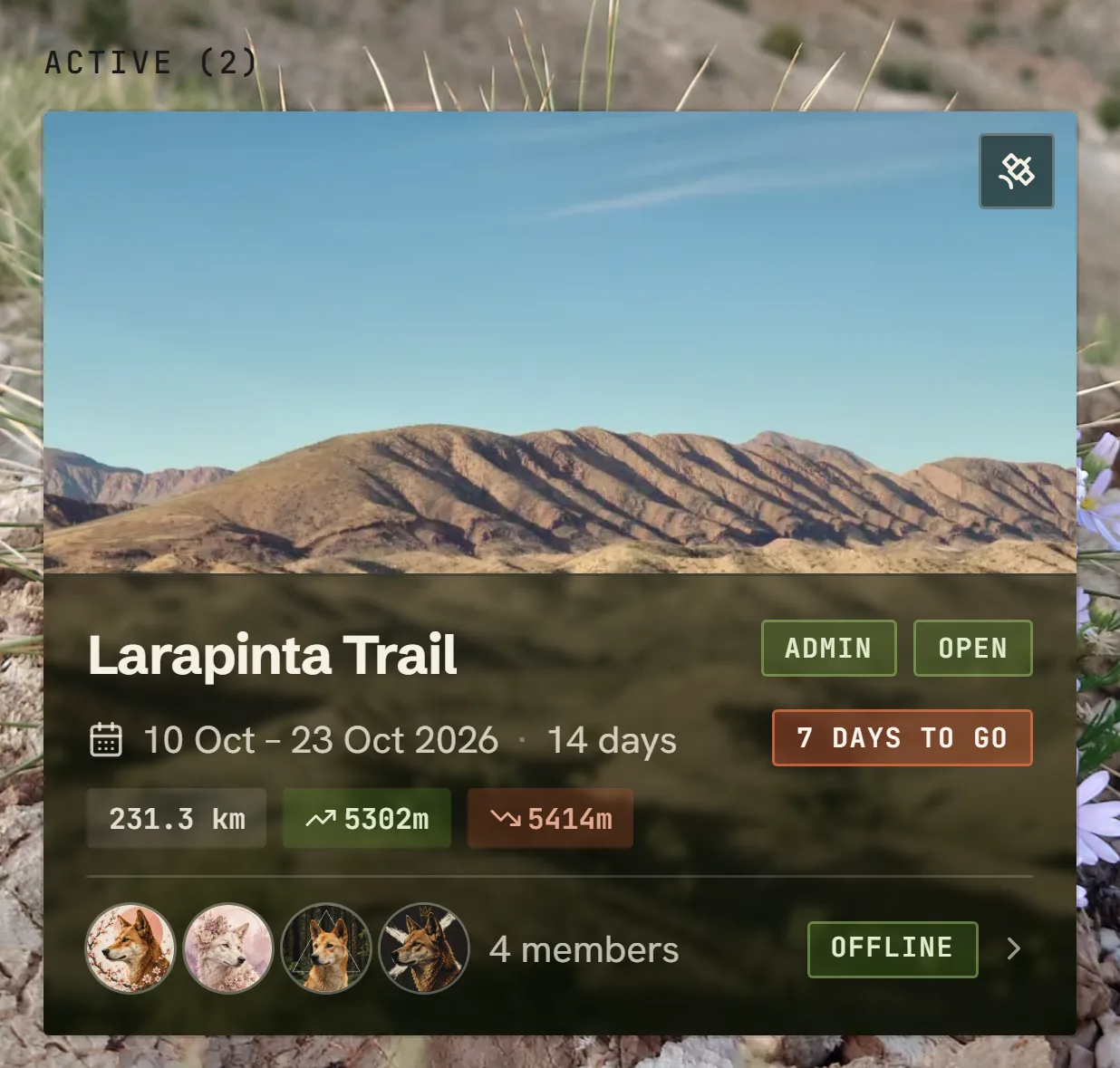
The app keeps your pack mates' profile pictures and your hikes' photos too. The satellite picture on a dashboard card needs a connection (the imagery's licence doesn't allow keeping it), so offline the card draws your routes over a plain map pattern instead.
Staying Signed In
- Offline, you stay signed in however long you're out of reception, even after fully closing the app. Open it online once after installing or updating so it remembers you.
- Online, your sign-in renews itself. It only lapses after 7 days without connecting at all.
- Back from more than a week out of range? Sign in again. Changes you made offline are kept for 14 days and send once you're signed in.
Offline Maps (Android)
Map tiles are separate from the plan data. On a hike's map, tap Offline to download the topographic tiles along your routes for offline use — on the smaller map on a hike's Overview it's in the menu behind the cog at the map's top-left. While offline the map sticks to the topo layer and the detail levels you downloaded.
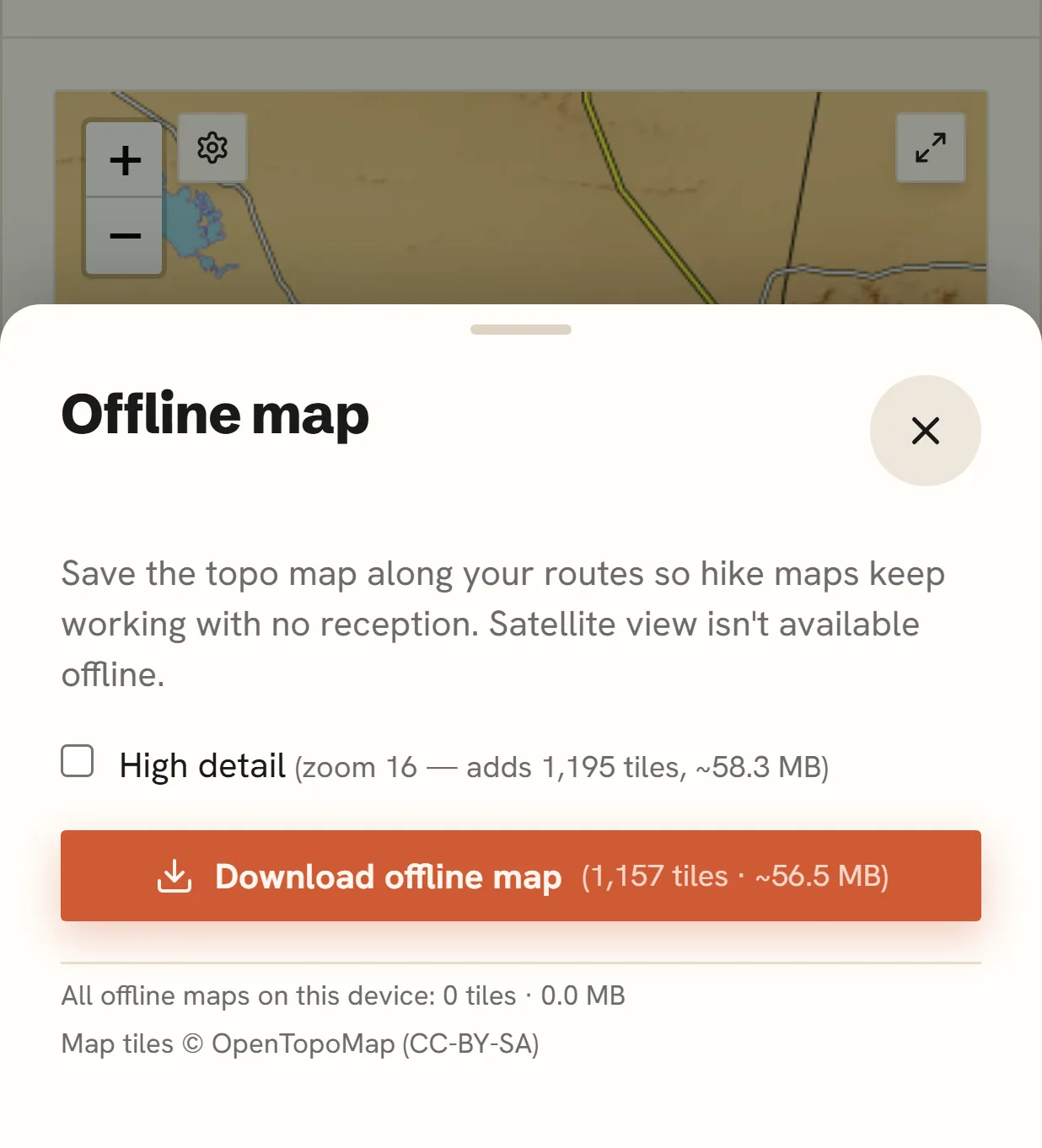
Tip: Very long routes at maximum detail can exceed the download cap — if that happens, reduce the maximum zoom and download again.
Things That Queue While Offline
These work offline and send themselves when reception returns:
- Chat messages — delivered later, marked with when you actually wrote them
- Gear packing status — tick items off anywhere
- Your food plan — full meal editing offline; syncs with a conflict prompt if the plan changed elsewhere (details)
- Your backpack numbers — base weight, usual water, a day's water and your food totals, so you can plan tomorrow's carry from camp (backpack weight)
- New expenses — add a cost or plan a purchase from the trail; it shows straight away marked Queued, counts in the balances, and can be changed or discarded right up until it sends (expenses)
- Payments you made — record cash you handed a pack mate. Offline you can only log a payment you made, so you and they can't both record the same handover and have it count twice
- Check-in turn-off — safety-critical, so it's stored durably and confirmed only when the server accepts it (post-hike check-in)
An offline banner appears whenever you're disconnected, and everything above flushes automatically on reconnect. If the server ever refuses one of your queued entries — say a pack mate was removed from a split while you were away — Pack Hiker tells you which one and why, with your figures kept so you can put it back in a tap.
Things That Need A Connection
Shared, structural editing is deliberately online-only — so two people can't unknowingly rewrite the same plan from two paddocks: the itinerary, the Section Planner, gear-list management, emergency contacts and check-in setup, route uploads, member management, hike settings, food drops, the admin's suggested water figure and the PDF export. The pages still open offline — you just can't change them until you're connected.
Expenses sit either side of that line: adding one works offline, but changing or deleting one that's already saved needs a connection, because somebody else may have edited it since. Linking an expense to an itinerary entry or a food drop is online-only for the same reason. While anything is still queued, the Fewest payments settle-up goes on hold — the balances beside it already include your entry, but that plan can only be worked out once everyone's changes are in. Settle directly and Check the sums are worked out on your device, so they keep going with your queued entries counted.
The rule behind the split is simple: anything that's only yours, or that only ever adds to the pile, is queued; anything that rewrites what the pack already shares waits for a connection.
Note: Offline support shines on the Android app. The website caches your data too, but map downloads and the Offline pill are app-only.